Use the Hub menus to create or edit a program. They can save you time building commands and help you with correct command spelling and syntax.
When you see "Code Sample" in a command table, this "Code Sample" may be copied and pasted as is to send to your graphing calculator to use in your calculations.
Example:
|
Code |
Send("RV FORWARD") Send("RV FORWARD SPEED 0.2 M/S TIME 10")
|
Note: To build a command from the Hub menu, you need to know:
| • | The unique name of the component that you are addressing, such as "SOUND" for the on-board speaker. |
| • | The command parameters that apply to the component, such as sound frequency and duration. Some parameters are optional, and you might need to know the value range of a parameter. |
For more information on using the Hub Menu see the following:
| • | TI-84 Plus CE - Example of Using the Hub Menu: |
| • | TI-Nspire™ CX technology - Example of Using the Hub Menu: |
Understanding Syntax
| • | Capitalized words are keywords |
| • | Lower case words are placeholders for numbers |
| • | Commands within brackets are optional parameters |
For example in: SET LIGHT ON [[BLINK|TOGGLE] frequency] [[TIME] seconds], "frequency" is entered as "1" and "seconds" is entered as "10".
Send("SET LIGHT 1 BLINK 2 TIME 10")
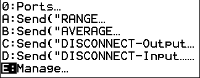
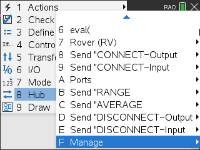
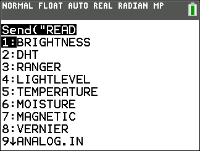
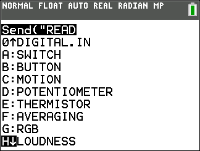
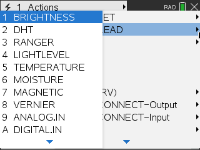
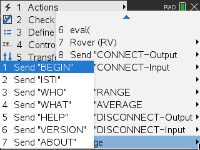
NOTE: The commands listed below are for CE Calculators. If you are using TI-Nspire™ CX technology the parentheses are omitted. In addition, you will notice some other minor differences in the commands such as "Endfor" instead of "End" with the TI-Nspire™ CX technology. Screenshots are provided for reference. Note: Actual menus may vary slightly from provided images.

Last Menu Entry
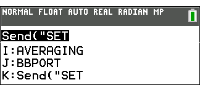
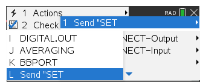
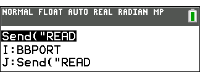
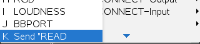
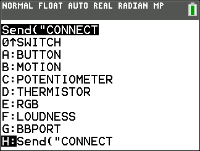
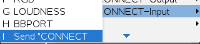
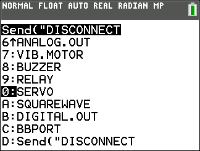
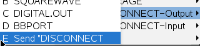
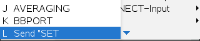
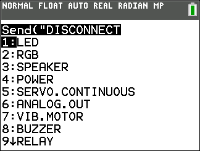
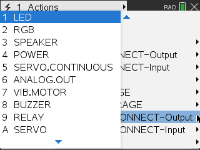
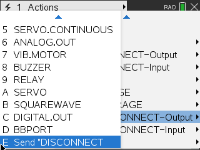
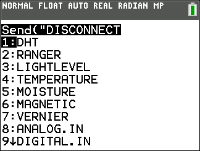
Notice the last menu entries. These allow you to type in the name of the object instead of selecting it from the menu. These can also be used for sensors and peripherals that are not explicitly included in the menus. To use these, select the menu item to paste the beginning of the command. You then type in the name of the sensor or device you are using.
|
Last Menu Entry |
CE Calculators |
TI‑Nspire™ CX |
|||
|
|
|
|||
|
|
|
|||
|
|
|
|||
|
|
|
HUB Menus
|
CE Calculators
|
TI‑Nspire™ CX
|
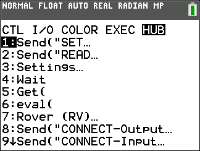
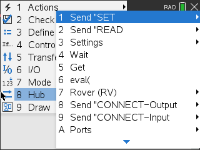
Send("SET...
|
CE Calculators
|
TI‑Nspire™ CX
|
||||||||||||||||||||||||||||||||||||||||||||||||||||||||||||||||||
|
|
|
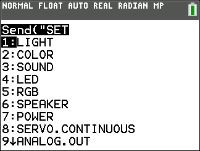
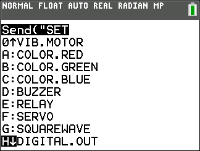
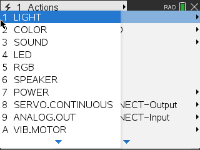
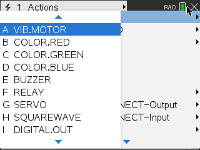

Send("READ...
|
CE Calculators
|
TI‑Nspire™ CX
|
||||||||||||||||||||||||||||||||||||||||||||||||||||||||||||||||||
|
|
|
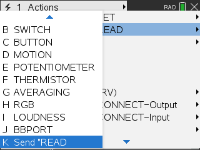
Settings...
|
CE Calculators
|
TI‑Nspire™ CX
|
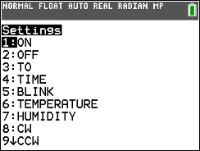
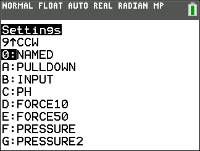
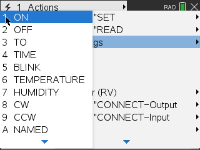
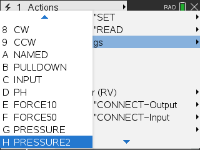
Wait
|
CE Calculators
|
TI‑Nspire™ CX
|
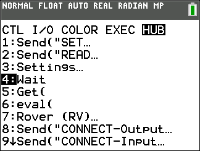
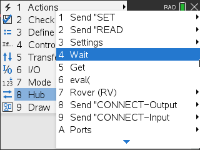
Get(
|
CE Calculators
|
TI‑Nspire™ CX
|
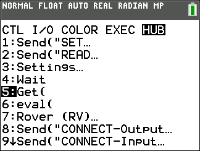
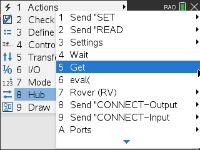
eval(
|
CE Calculators
|
TI‑Nspire™ CX
|
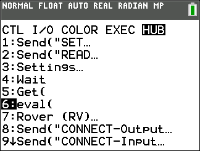
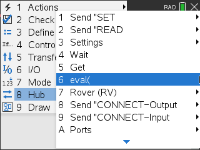
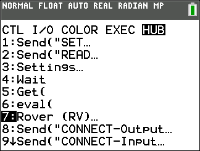
Rover (RV)...
|
CE Calculators
|
TI‑Nspire™ CX
|
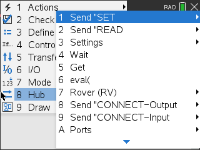
Send("CONNECT-Output...
|
CE Calculators
|
TI‑Nspire™ CX
|
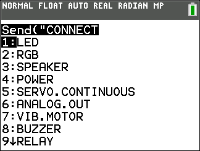
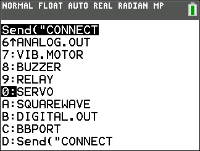
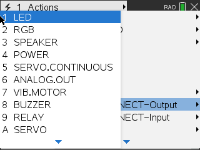
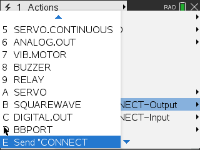
Send("CONNECT-Input...
|
CE Calculators
|
TI‑Nspire™ CX
|
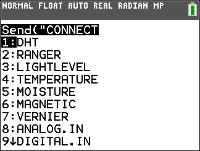
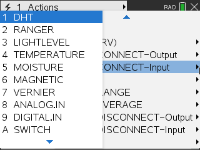
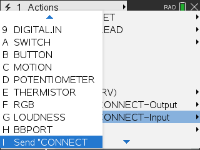
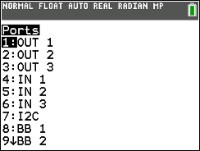
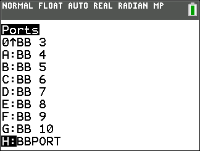
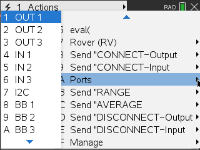
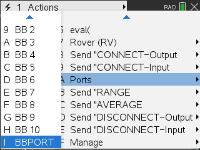
Ports...
|
CE Calculators
|
TI‑Nspire™ CX
|
Send("RANGE...
|
CE Calculators
|
TI‑Nspire™ CX
|
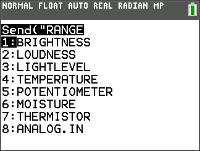
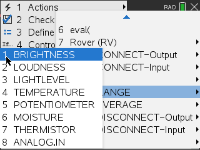
Send("AVERAGE...
|
CE Calculators
|
TI‑Nspire™ CX
|
|||||||||||||||||||||||||||
|
|
|
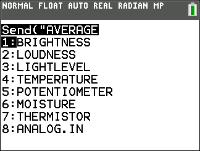
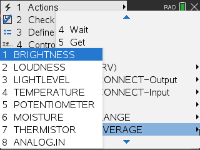
Send("DISCONNECT-Output...
|
CE Calculators
|
TI‑Nspire™ CX
|
Send("DISCONNECT-Input...
|
CE Calculators
|
TI‑Nspire™ CX
|
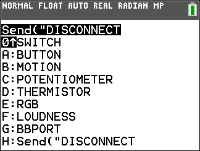
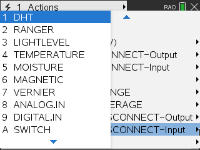
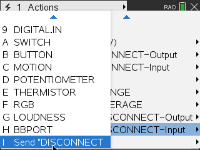
MANAGE
|
CE Calculators
|
TI‑Nspire™ CX
|
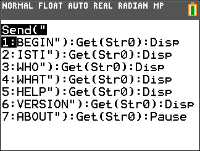
COLLECT
|
CE Calculators
|
TI‑Nspire™ CX
|
Additional Supported Commands Not Found in the Hub Menu
| • | Additional SET Commands |
| – | FORMAT ERROR STRING/NUMBER |
| – | FORMAT ERROR NOTE/QUIET |
| – | FLOW [TO] ON/OFF |
| – | OUT1/2/3 [TO] |
| • | Additional READ Commands |
| – | ANALOG.OUT |
| – | BUZZER |
| – | COLOR |
| – | RED |
| – | GREEN |
| – | BLUE |
| – | DCMOTOR i |
| – | DIGITAL.OUT i |
| – | FORMAT |
| – | FLOW |
| – | IN1/IN2/IN3 |
| – | LAST ERROR |
| – | LED i |
| – | LIGHT |
| – | OUT1/2/3 |
| – | PWR |
| – | RELAY i |
| – | RESOLUTION |
| – | RGB i |
| – | RED i |
| – | GREEN i |
| – | BLUE i |
| – | SERVO i |
| – | SERVO i CALIBRATION |
| – | SOUND |
| – | SPEAKER i |
| – | SQUAREWAVE i |
| • | Additional AVERAGE Commands |
| – | PERIOD |
| • | Additional CALIBRATE Commands |
| – | CALIBRATE |
| – | SERVO i minimum maximum |
| – | TEMPERATURE i c1 c2 c3 r |
| – | THERMISTOR i c1 c2 c3 r |