
Solution 40504: Calculating One-variable Statistics Using a TI-84 Evo.
How do I calculate one-variable statistics on a TI-84 Evo?
The following example will demonstrate how to perform one-variable statistics using a TI-84 Evo.
To enter the data:
1) Click [On/Home] and use the cursor to select the [LIST EDITOR] and press [enter]
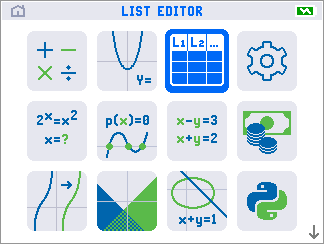
2) Enter the data for List in the L1 {5, 9, 7, 4, 6, 250, 35, 100, 84} pressing [ENTER] after each entry to move to the next line.
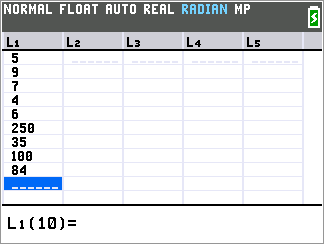
To calculate the one-variable statistics:
1) First press the [STAT] key then press the [→] key once to select the CALC menu.
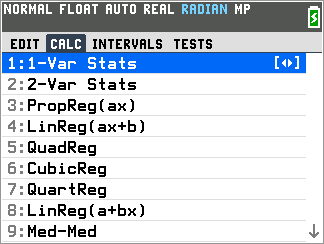
2) Next press the [1] key and 1-Var Stats menu below will be displayed. If L1 is not listed next to [List] press [clear] then [2nd] followed by [1] to enter it.
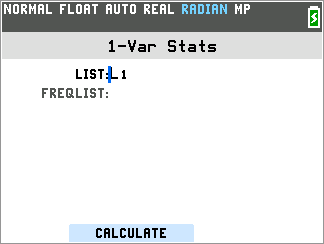
3) Next press [window] or [zoom] to select "CALCULATE" and display the 1-Var stats values. Use the [↑] and [↓] to scroll through the results
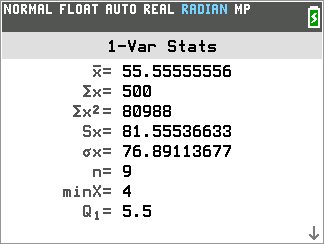
Please see the TI-84 Evo User Guide for additional information.