

Balancing Chemical Equations - Practice
Science: Chemistry: Chemical Equations and Reactions
9-12
45
TI-Nspire™ CX series
TI-Nspire™ CX CAS/CX II CAS
3.2
Balancing Chemical Equations - Practice
Activity Overview
In this lesson, students use the ChemBox feature of TI-NspireTM technology to practice balancing chemical equations.
Objectives
- Students will describe what “reactants” and “products” in a chemical equation mean.
- Students will explain the difference between “coefficients” and “subscripts” in chemical equations.
- Students will recognize that the number of atoms of each element is conserved in a chemical reaction.
- Students will balance a chemical equation.
Vocabulary
- reactant
- synthesis (combination)
- product
- double replacement (precipitation)
- combustion
- neutralization (acid-base)
- decomposition
- single replacement (oxidation-reduction)
About the Lesson
This lesson involves students using ChemBox feature of TI-NspireTM technology to practice balancing chemical equations.
- Students will use Edit mode of the activity to enter given reactants and products in a chemical equation.
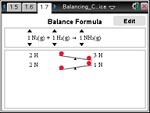
- Students will use Balance mode for visual support necessary to balance a chemical equation.
As a result, students will:
- Reinforce understanding that the number of atoms is conserved in a chemical reaction
- Recognize the meaning of coefficients and subscripts in a chemical equation.

Download Files
Science: Chemistry: Chemical Equations and Reactions
9-12
45
TI-Nspire™ CX series
TI-Nspire™ CX CAS/CX II CAS
3.2
iPad is a trademark of Apple Inc., registered in the U.S. and other countries.
Vernier EasyData,Vernier EasyLink and Vernier EasyTemp are registered trademarks of Vernier Science Education.
Vernier EasyData,Vernier EasyLink and Vernier EasyTemp are registered trademarks of Vernier Science Education.