

What's in a Line?
Math: Middle Grades Math: Functions
6-8
45 Minutes
TI-Nspire™ CX series
TI-Nspire™ CX CAS/CX II CAS
TI-Nspire™ Apps for iPad®
3.6
Lessons
TNS
What's in a Line?
Activity Overview
This lesson involves identifying linear functions.
Objectives
- Students will interpret the equation y = mx + b as defining a linear function, whose graph is a straight line.
- Students will be able to recognize equations as defining linear functions from those that are not linear.
- Students will reason abstractly and quantitatively.
- Students will look closely to discern a pattern or structure.
Vocabulary
- equation
- tables
- graph
- coordinates
- function
- linear function
- slope or rate of change
About the Lesson
This lesson involves identifying linear functions.
As a result, students will:
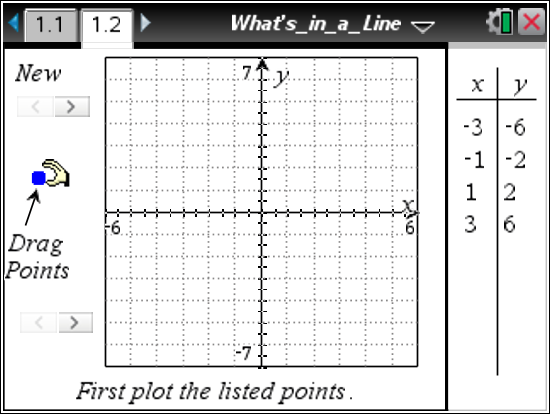
- Plot points on the coordinate graph as they begin to determine features of a linear function.
- Plot new points for a visual check of the points "working" with the original plotted points.
- Examine and compare the final equations that appear for each example.
- See that equations in the form of y = mx + b represent linear functions and that other types of equations produce other functions or possibly non-functions.

Download Files
Math: Middle Grades Math: Functions
6-8
45 Minutes
TI-Nspire™ CX series
TI-Nspire™ CX CAS/CX II CAS
TI-Nspire™ Apps for iPad®
3.6
Lessons
TNS
iPad is a trademark of Apple Inc., registered in the U.S. and other countries.
Vernier EasyData,Vernier EasyLink and Vernier EasyTemp are registered trademarks of Vernier Science Education.
Vernier EasyData,Vernier EasyLink and Vernier EasyTemp are registered trademarks of Vernier Science Education.