The functionality you need
Start using CAS tools with just a few clicks to work through symbolic algebra, exact values, advanced math, and more.

Turn your web browser into a graphing calculator
you can access from any computer, featuring
the basic features needed for teaching, exploring
and visualizing math.


Start using CAS tools with just a few clicks to work through symbolic algebra, exact values, advanced math, and more.


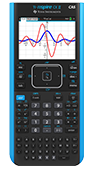
An experience just like using the TI-Nspire™ CX II CAS handheld — with similar buttons, menus and workflows.

Need help? Take a look at the e-guide that explains all the features and functionality of your online calculator.
View the e-guideChromebook™, Chrome™ browser and Chrome OS™ are trademarks of Google LLC. Mac and macOS are trademarks of Apple Inc., registered in the U.S. and other countries. Windows is a registered trademark of the Microsoft group of companies.