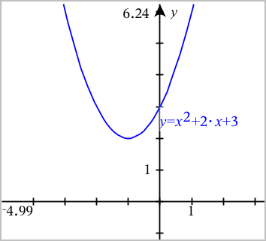
| 1. | From the Graph Entry/Edit menu, select Equation Templates. |
| 2. | Click the type of equation (Line, Parabola, Circle, Ellipse, Hyperbola, or Conic). |
| 3. | Click the specific template for the equation. For example, tap y=a•x2+b•x+c to define a parabola. |
The entry line includes a symbol to indicate the type of equation.

| 4. | Type the coefficients into the equation template. |

| 5. | Press Enter. |