Exiting Test Mode
When you exit Test Mode, the temporary document created during the session is deleted and TI-Nspire™ document settings are restored to their state before you entered Test Mode.
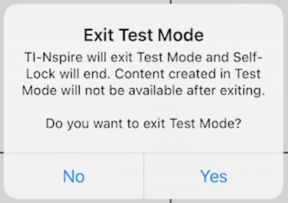
To exit Test Mode:
| 1. | Tap the < Exit button on the Test Mode title bar. |
| 2. | On the Exit Test Mode prompt, tap Yes. |
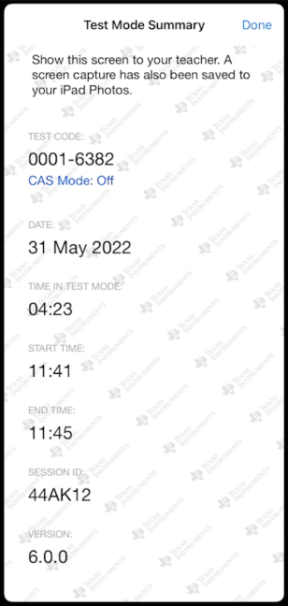
The Test Mode Summary dialog opens which displays the following:
| • | Test Code |
| • | Date |
| • | Time in Test Mode |
| • | Start Time and End Time |
| • | Session ID |
| • | App Version |
| 3. | Tap Done. |
The Test Mode Summary dialog will be saved to your iPad® Photos album.