


√ QCE*
√ IB® Diploma Programme
√ VCE
√ WACE
*With CAS disabled on the TI-Nspire™ CX II CAS graphing calculator.

The TI-Nspire™ CX II CAS graphing calculator offers advanced maths capabilities beyond the standard model — ideal for teachers and students to explore equations in symbolic form and to see both exact and approximate solutions.


Computer Algebra System (CAS)
Manipulate algebraic expressions, solve equations symbolically, and see exact solutions — no rounding, no estimates.
Responsive learning
Interact with maths, observe cause/effect, and see how it all connects.
Modern touchpad
Computer-like navigation with an on-screen cursor.
Save documents
Create, edit, save and review work just like on a computer.
Rechargeable battery
Stays powered between maths and science classes to exam day.
*With CAS disabled on the TI-Nspire™ CX II CAS graphing calculator.

Solve equations symbolically, manipulate algebraic expressions, factor polynomials, and perform symbolic integration and differentiation — all while keeping answers in their exact form.

With the CAS model, fractions as fractions, radicals as radicals, and answers in symbolic form. Connect exact solutions with decimal approximations, making advanced maths more accessible and easier to understand.

Show students how changing one thing changes everything. They can explore and visualise connections between their graphs and the equations simultaneously in real time — no switching back and forth between screens.


The TI-Nspire™ CX II CAS graphing calculator unplugs students from the web and social media, so teachers can keep them focused on maths.

The TI-Nspire™ CX II CAS graphing calculator supports Python programming, allowing students to write and run code directly on the calculator.
Students are empowered to learn programming while exploring its wide range of applications in maths, science, computer science, and even data analysis — providing them a head start in coding as well as computational problem-solving.
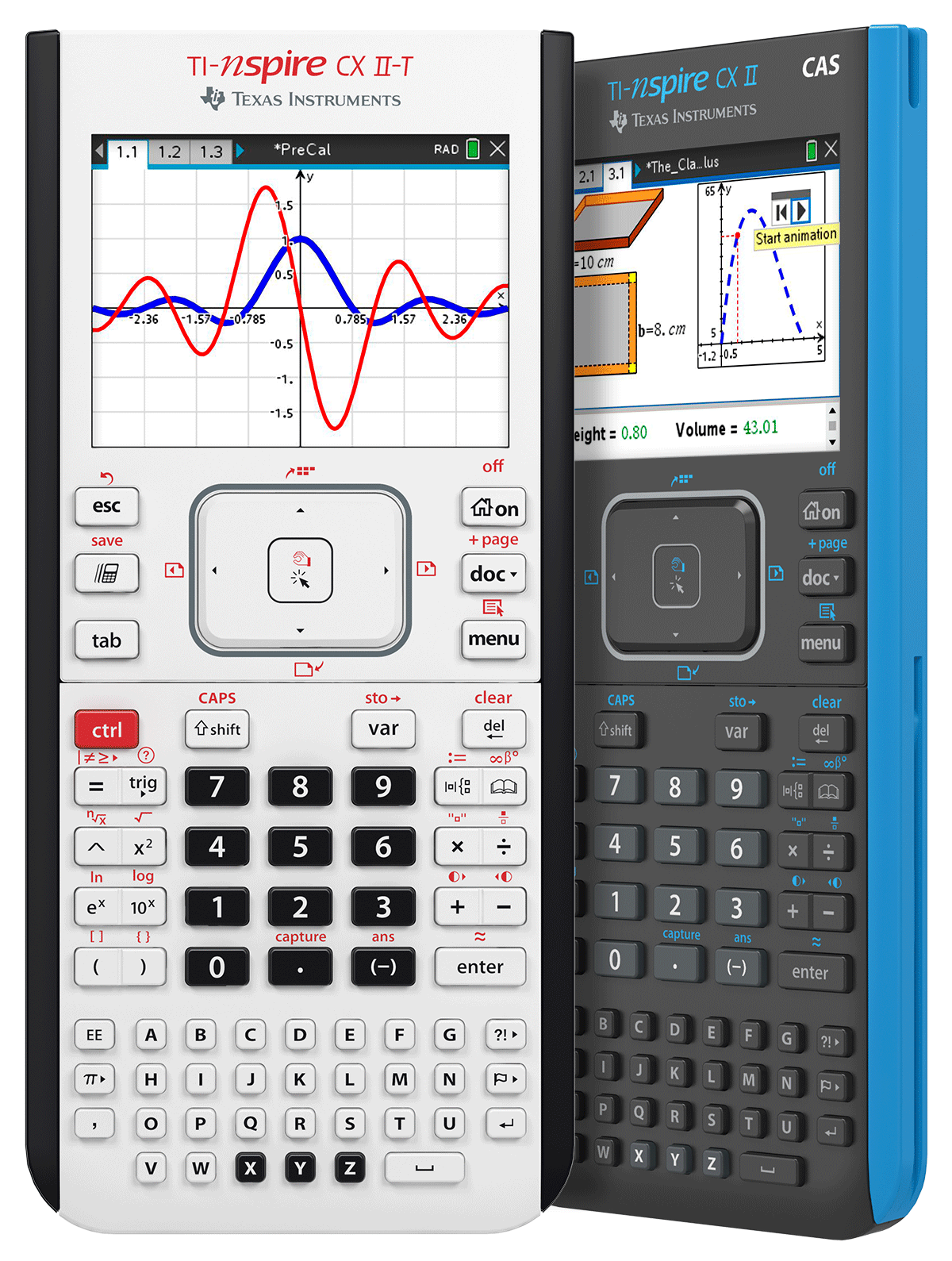
Get to know your graphing calculator with a series of tutorials that cover everything from the basic functions to graphing capabilities, geometry tools, teacher software, and more.
Vernier DataQuest is a trademark of Vernier Software & Technology.
PSAT/NMSQT® is a registered trademark of the College Board and the National Merit Scholarship Corporation. ACT is a registered trademark of ACT, Inc. IB is a registered trademark owned by the International Baccalaureate Organization. None are affiliated with, nor endorse, TI products. Policies subject to change. Visit www.collegeboard.org, www.act.org and www.ibo.org.
**With CAS disabled.


