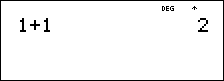
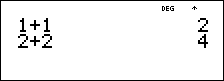
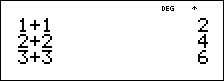
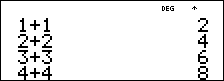
! " # $
Press ! or " to scroll entries on the Home screen and to navigate in menus. Press % ! or % " to move the cursor directly to the beginning or end of the current expression.
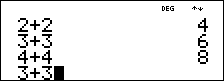
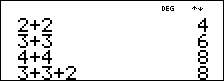
# and $ moves the cursor up and down through menu items, entries in Data editor, and previous entries on the Home screen. You can reuse a previous entry by pressing < to paste it on the bottom line, and then evaluating a new expression.
% # moves the cursor to the top entry of the active column in Data editor, or to the previous entry on the Home screen. Press % # again to move the cursor to the oldest entry on the Home screen.
% $ moves the cursor to the first blank row of the active column in Data editor, or below the last entry on the Home screen.
Examples
|
Scroll |
1 T 1 < |
|
|
|
2 T 2 < |
|
|
|
3 T 3 < |
|
|
|
4 T 4 < |
|
|
|
# # # # < |
|
|
|
T 2 < |
|