| 1. | From the TI-Nspire™ Home screen, tap Settings  . . |
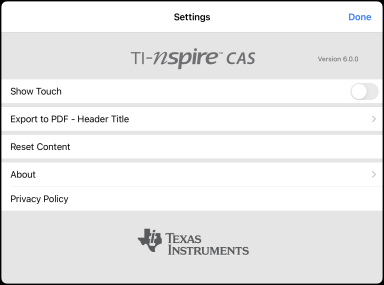
| 2. | Tap the option names to: |
| • | Show Touch. Select to show or hide touches to the screen. |
| • | Export to PDF - Header Title. Change the default title for exported PDFs. |
| • | Reset Content. Deletes all user-created TI-Nspire™ documents and folders, clears the Clipboard, and restores the factory default documents. Warning: You cannot undo this action. For details, refer to Resetting TI-Nspire™ Content. |
| • | About. Read information about the app, and check the version of the app. |
| • | Privacy Policy. Open the Texas Instruments Online Privacy Policy. |
| 3. | Tap Done to return to the TI-Nspire™ Home screen. |