% m % n
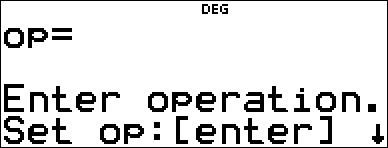
% n lets you store an operation.
% m pastes operation to the home screen.
To set an operation and then recall it:
| 1. | Press % n. |
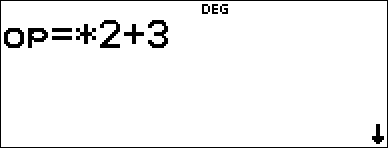
| 2. | Enter any combination of numbers, operations, and/or values. |
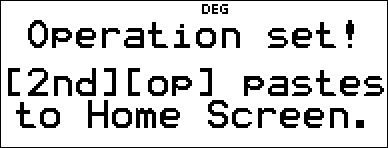
| 3. | Press < to store the operation. |
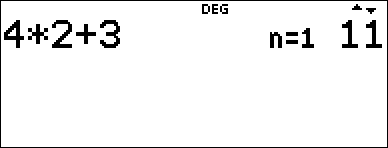
| 4. | Press % m to recall the stored operation and apply it to the last answer or the current entry. |
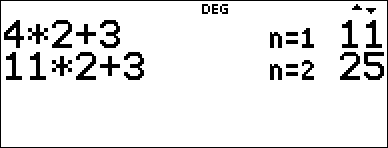
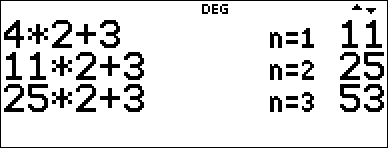
If you apply % m directly to a % m result, the n=1 iteration counter is incremented.
Examples
|
Clear op |
% n If a stored op is present, press - to clear it. |
|
|
Set op |
V 2 T 3 |
|
|
|
< |
|
|
Recall op |
4 % m |
|
|
|
% m |
|
|
|
% m |
|
|
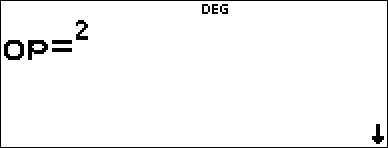
Redefine op |
- % n - F < |
|
|
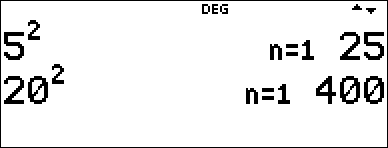
Recall op |
5 % m 20 % m |
|
Problem
A local store allows you to earn loyalty points that you can redeem for various gifts. The store adds 35 points to your mobile app for every visit. You would like to get a music download which costs 275 points. How many visits will it take? Currently, you have 0 points.
|
% n - T 35 < |
|
|
0 % m % m % m % m |
|
|
% m % m % m % m |
|
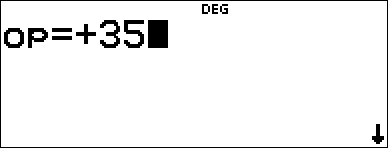
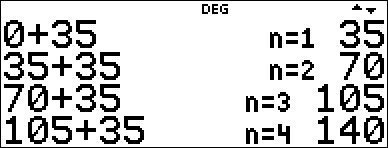
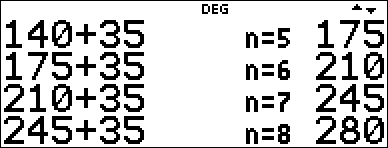
After 8 visits to the store you will have 280 points which is enough for your download!