%
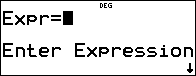
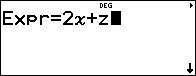
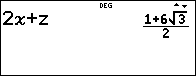
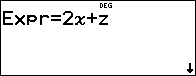
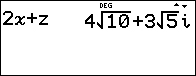
Press % to input and calculate an expression using numbers, functions, and variables/parameters. Pressing % from a populated home screen expression pastes the content to Expr=. If the cursor focus is in history, the selected expression will paste to Expr= when % is pressed.
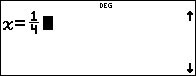
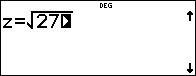
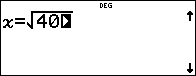
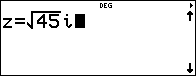
If variables, x, y, z, t, a, b, c or d are used in the expression, you will be prompted for values or use the stored values displayed for each prompt. The number stored in the variables will update in the calculator.
Example
|
% - |
|
|
2 z T z z z |
|
|
< - 1 P 4 |
|
|
< - % b 27 |
|
|
< |
|
|
% |
|
|
< - % b 40 |
|
|
< - % b 45 " g g g |
|
|
< |
|