Note: To enter a negative number, tap  instead of the minus sign.
Suppose you want to evaluate  .
.
| 1. | Tap an entry line in the Calculator work area. |
| 2. | Tap    to begin the expression. to begin the expression. |
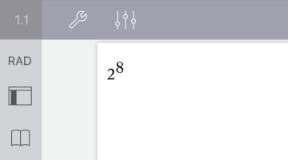
| 3. | Tap  to return the cursor to the baseline. to return the cursor to the baseline. |
| 4. | To complete the expression: |
Tap 


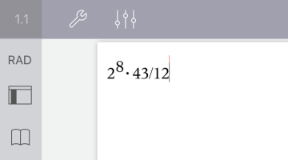
| 5. | Tap enter to evaluate the expression. |
The expression is displayed in standard mathematical notation, and result is displayed on the right side of the entry line. If a result does not fit on the same line with the expression, it is displayed on the next line.

The expression and the result are added to the Calculator history.