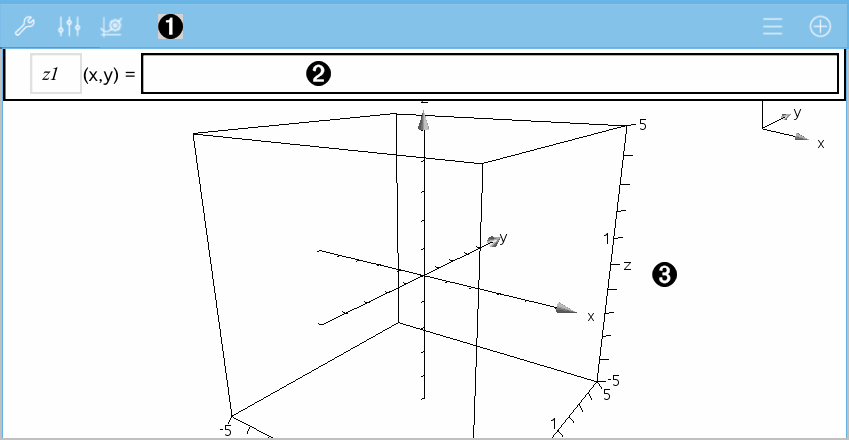
The 3D Graphing View is available on any Graphs page  .
.
| ▶ | Tap Tools  and go to View > 3D Graphing. and go to View > 3D Graphing. |
|
|
3D Graphs Toolbar
|
||||||||||||
|
|
Entry line. Lets you define 3D graphs. The default graph type is 3D Function, indicated by z1(x,y)=. |
||||||||||||
|
|
3D Graphs Work Area. Shows a 3D box containing graphs that you define. Pinch to zoom the area, drag to rotate the box. |

 to change the appearance of a graph or the 3D box.
 to view or edit an expression from the 3D graph history.
 to hide or show the keyboard and the entry line.
