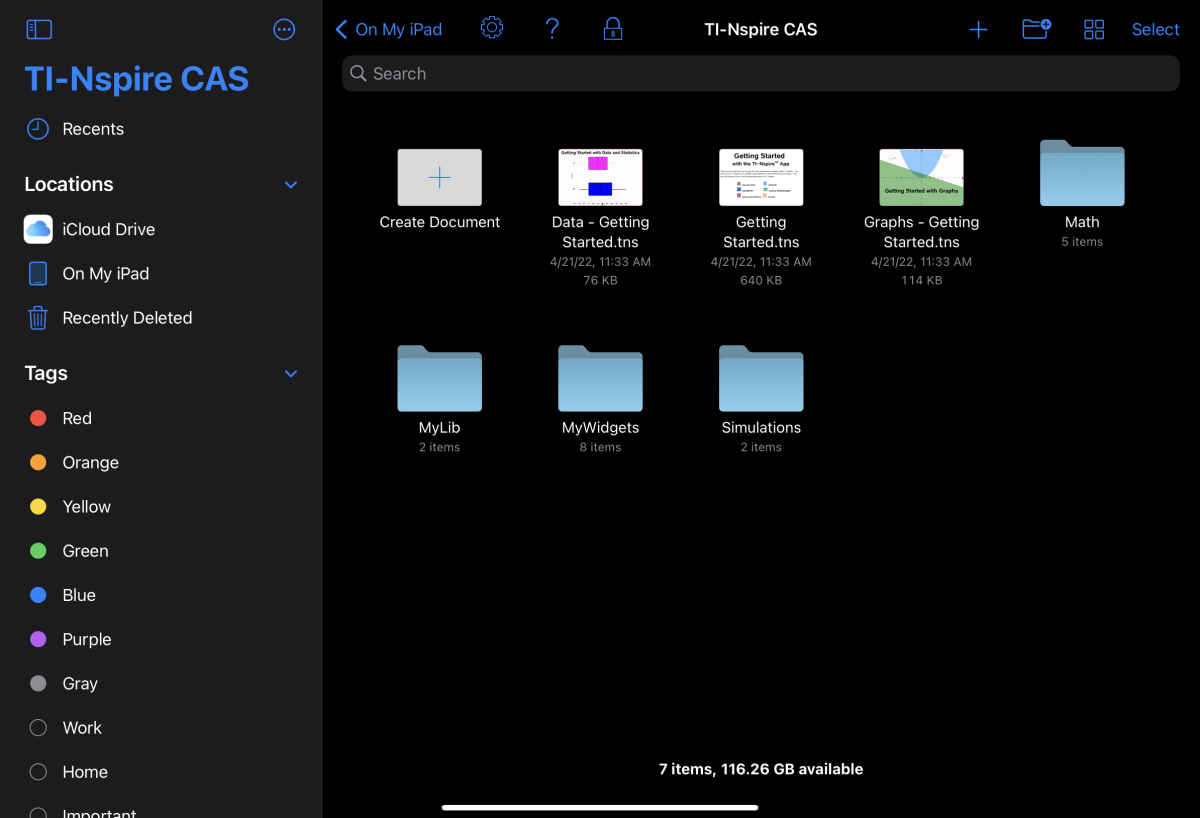
When the app is first installed, a TI-Nspire or TI-Nspire CAS folder is created in the On My iPad location. It contains four pre-loaded folders (Math, MyLib, MyWidgets, and Simulations), and three Getting Started documents: Getting Started with the TI-Nspire™ App, Getting Started with Data and Statistics, and Getting Started with Graphs.
The Home screen uses much of the same functionality as the iPad® Files app such as Recents, Locations, Tags, and file/folder management. Recommended locations to store .tns files are On My iPad and iCloud Drive.
Note: TI-Nspire™ App for iPad® supports only .tns documents.
To return to the TI-Nspire™ Home screen from any other screen within the application, tap < Home.