 Finding Available Seats
To view the maximum number of seats:
| 1. | In the Class Workspace, click File > Settings > Teacher Preferences. |
The Teacher Preferences dialog box opens.
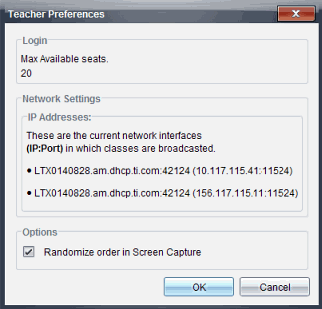
If you have more students than seats available, students trying to log in will have to wait until other students log out and seats become available.
Contact your school administrator to acquire more seat licenses. If you already have a license for additional seats, you can update your license.