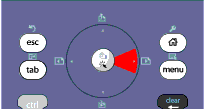
You can use the Clickpad on the TI‑Nspire™ Clickpad keypad using either the touchpad on a laptop or by using the mouse to click the Clickpad. Areas of the Clickpad are highlighted as you click the arrow zones.
| • | Clicking the ¡, ¢, £, or ¤ keys on the Clickpad moves through menus one item at a time. |
| • | Clicking and holding down an arrow on the Clickpad causes continual movement in the selected direction. |
| • | Clicking the middle of the Clickpad selects the highlighted menu option. |