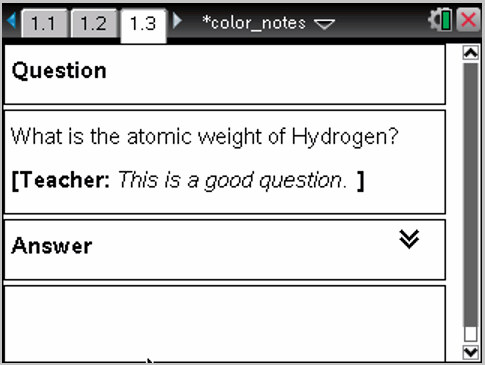
You can insert Teacher or Reviewer comments into a Notes application. Comments are easy to distinguish from the original text.
| 1. | Define the type of comments you are inserting (Teacher or Reviewer): |
| • | PC: From the Insert menu, click Comment, and then click Teacher or Reviewer. |
| • | Handheld: While in the Notes work area, press b to display the Notes menu. Press Insert > Comment, and then select either Teacher or Reviewer. |
| 2. | Type your text. |
Text that you type appears in italics.