Running TI‑Nspire™ Diagnostics
If you have trouble with your software, this option enables you to run a short diagnostics program that will help TI support personnel troubleshoot the problem. You do not need Internet access to run diagnostics; however, Internet access is required to send the log file to TI Support. To run diagnostics:
|
1.
|
From the menu, select . |
The Software Diagnostic Tool dialog box opens.
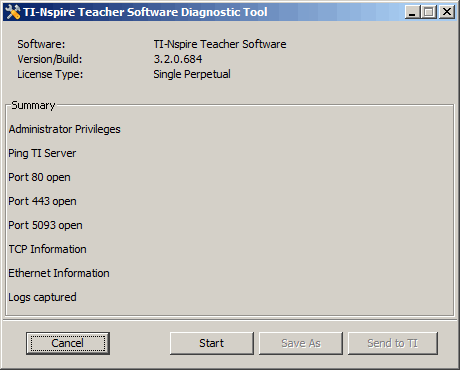
|
2.
|
Click to run the program. |
The log file is created and the Save as dialog box opens.
|
3.
|
Navigate to the folder where you want to save the file, and then click . |
The Diagnostic Report dialog box opens providing the name of the zip file created and the location where it was saved.
|
5.
|
From the Software Diagnostic Tool dialog box: |
|
•
|
Click to send the file to TI Support. |
|
•
|
Click to run the diagnostics program again. |
|
•
|
Click to quit, and then click to confirm and close the dialog box. |