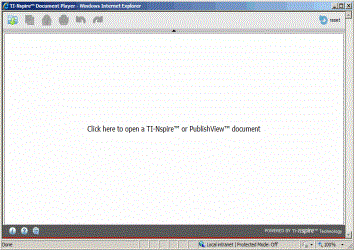
Complete the following steps to launch and use Document Player online.
| 1. | Go to education.ti.com/nspireplayer. |
| 2. | If prompted, select your country from the appropriate list. |
Note: Select the Remember Country check box to skip this page in the future.
| 3. | Click Launch Player. |
If you are opening Document Player for the first time, accept the license agreement.
Note: You will be asked to accept the license agreement each time you launch Document Player on a different computer.
The TI‑Nspire™ Document Player opens in a new browser window. Document Player replaces the browser shell with the Document Player interface.
For information about opening documents, see Using TI‑Nspire™ Document Player.
If you don’t have the supported plug-in installed, Document Player will not launch. You will need to update the Java™ Plug-in. Contact your school’s IT department or search the Java™ website for instructions or go to www.java.com/download.
If you are using a Mac®, additional steps may be required. Please visit the TI Education Knowledge Base at education.ti.com/go/kbase and type the keywords "Java Plug-in" to find the latest information.