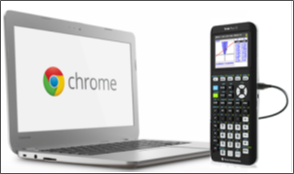
TI Connect™ CE App for Chrome OS™ provides the following key benefits & features:
| • | Connect a single TI-84 Plus CE graphing calculator to a Chromebook™ notebook computer |
| • | Send/receive calculator files (Programs, Lists, etc.) to/from your connected graphing calculator |
| • | Quickly capture calculator screens |
| - | View screens with or without added borders |
| - | View screens as thumbnails or in a slide show |
| - | Copy screens for use in in homework or presentations |
| • | View calculator information including ID, Operating System version, and available memory |
| • | Save calculator files and screen captures locally or to your Google Drive™ online storage service folder |
| • | Send the TI-84 Plus CE Operating System (OS) file to your connected calculator |
| - | Please do not disconnect your USB calculator to computer cable during an OS update |
| - | This feature does not support the 84CE Bundle file |