You are here:TI‑Nspire™/TI‑Nspire™ CX Reference Guide > D

D

dbd()

dbd(date1,date2) value

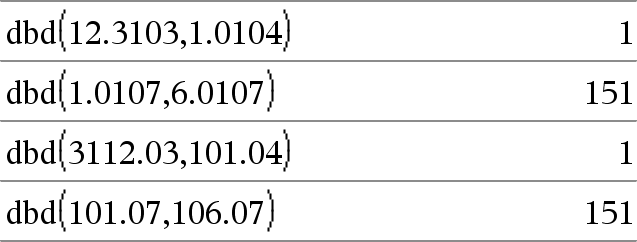
Returns the number of days between date1 and date2 using the actual-day-count method.

date1 and date2 can be numbers or lists of numbers within the range of the dates on the standard calendar. If both date1 and date2 are lists, they must be the same length.

date1 and date2 must be between the years 1950 through 2049.

You can enter the dates in either of two formats. The decimal placement differentiates between the date formats.

MM.DDYY (format used commonly in the United States)
DDMM.YY (format use commonly in Europe)
DD

Expr1 DD valueList1
DD listMatrix1
DD matrix

Note: You can insert this operator from the computer keyboard by typing @>DD.

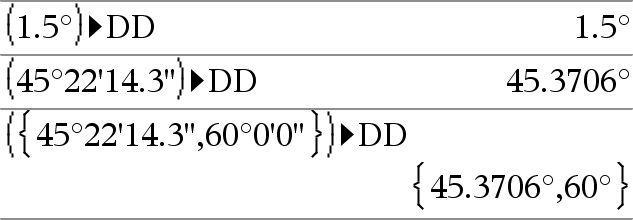
Returns the decimal equivalent of the argument expressed in degrees. The argument is a number, list, or matrix that is interpreted by the Angle mode setting in gradians, radians or degrees.

In Degree angle mode:


In Gradian angle mode:


In Radian angle mode:

Decimal

Number1 Decimal value

List1 Decimal value

Matrix1 Decimal value

Note: You can insert this operator from the computer keyboard by typing @>Decimal.

Displays the argument in decimal form. This operator can be used only at the end of the entry line.

Define

Define Var = Expression
Define Function(Param1, Param2, ...) = Expression

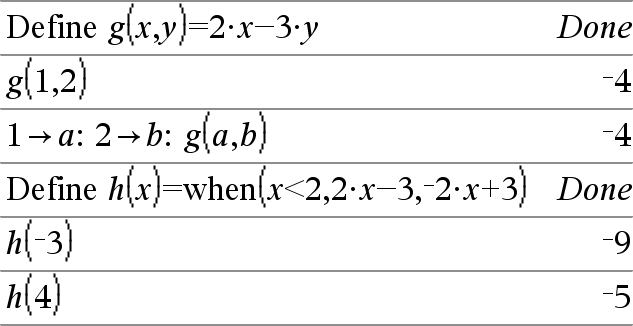
Defines the variable Var or the user-defined function Function.

Parameters, such as Param1, provide placeholders for passing arguments to the function. When calling a user-defined function, you must supply arguments (for example, values or variables) that correspond to the parameters. When called, the function evaluates Expression using the supplied arguments.

Var and Function cannot be the name of a system variable or built-in function or command.

Note: This form of Define is equivalent to executing the expression: expression Function(Param1,Param2).


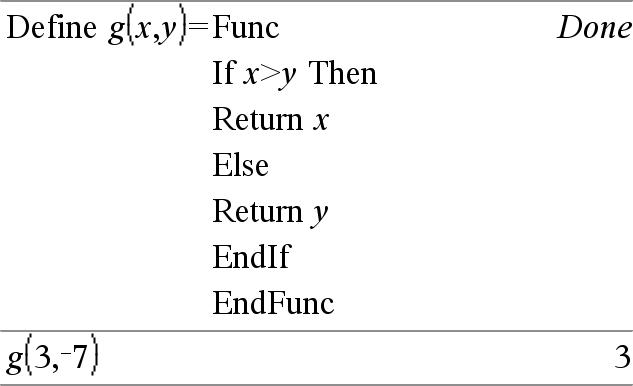
Define Function(Param1, Param2, ...) = Func
     Block
EndFunc


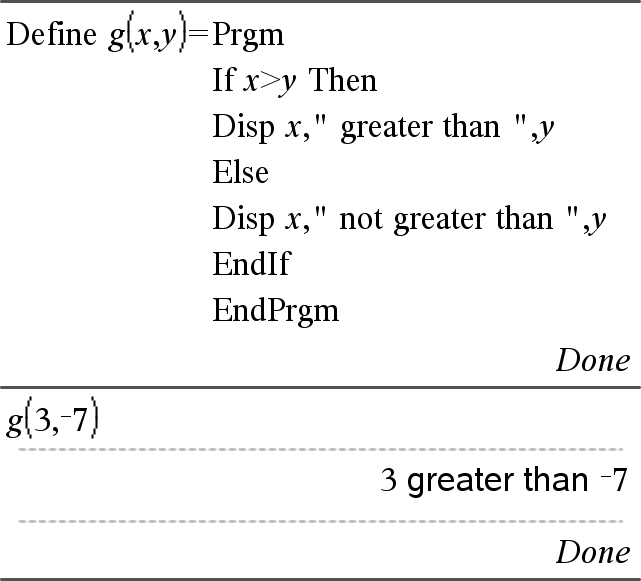
Define Program(Param1, Param2, ...) = Prgm
     Block
EndPrgm

In this form, the user-defined function or program can execute a block of multiple statements.

Block can be either a single statement or a series of statements on separate lines. Block also can include expressions and instructions (such as If, Then, Else, and For).

Note for entering the example: For instructions on entering multi-line program and function definitions, refer to the Calculator section of your product guidebook.

Note: See also Define LibPriv, here, and Define LibPub, here.


Define LibPriv

Define LibPriv Var = Expression
Define LibPriv Function(Param1, Param2, ...) = Expression

Define LibPriv Function(Param1, Param2, ...) = Func
     Block
EndFunc

Define LibPriv Program(Param1, Param2, ...) = Prgm
     Block
EndPrgm

Operates the same as Define, except defines a private library variable, function, or program. Private functions and programs do not appear in the Catalog.

Note: See also Define, here, and Define LibPub, here.


Define LibPub

Define LibPub Var = Expression
Define LibPub Function(Param1, Param2, ...) = Expression

Define LibPub Function(Param1, Param2, ...) = Func
     Block
EndFunc

Define LibPub Program(Param1, Param2, ...) = Prgm
     Block
EndPrgm

Operates the same as Define, except defines a public library variable, function, or program. Public functions and programs appear in the Catalog after the library has been saved and refreshed.

Note: See also Define, here, and Define LibPriv, here.


deltaList()


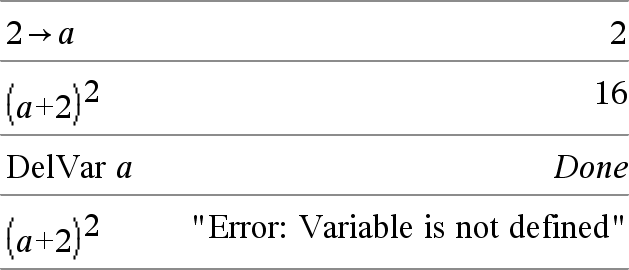
DelVar

DelVar Var1[, Var2] [, Var3] ...

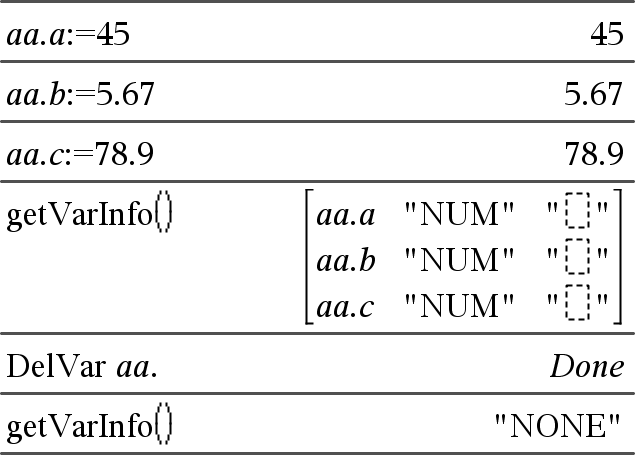
DelVar Var.

Deletes the specified variable or variable group from memory.

If one or more of the variables are locked, this command displays an error message and deletes only the unlocked variables. See unLock, here.

DelVar Var. deletes all members of the Var. variable group (such as the statistics stat.nn results or variables created using the LibShortcut() function). The dot (.) in this form of the DelVar command limits it to deleting a variable group; the simple variable Var is not affected.

delVoid()

delVoid(List1) list

Returns a list that has the contents of List1 with all empty (void) elements removed.

For more information on empty elements, see here.

det()

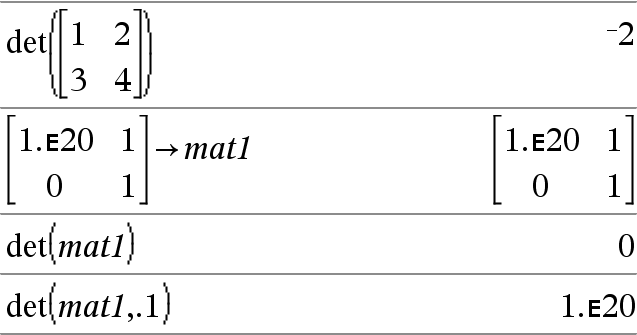
det(squareMatrix[, Tolerance]) expression

Returns the determinant of squareMatrix.

Optionally, any matrix element is treated as zero if its absolute value is less than Tolerance. This tolerance is used only if the matrix has floating-point entries and does not contain any symbolic variables that have not been assigned a value. Otherwise, Tolerance is ignored.

If you use /· or set the Auto or Approximate mode to Approximate, computations are done using floating-point arithmetic.
If Tolerance is omitted or not used, the default tolerance is calculated as:
5E14 max(dim(squareMatrix))rowNorm(squareMatrix)

diag()

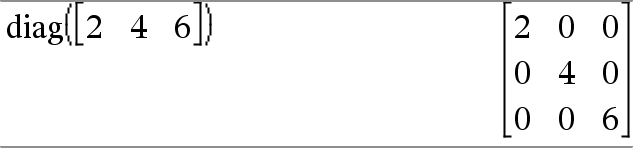
diag(List) matrix
diag(rowMatrix) matrix
diag(columnMatrix) matrix

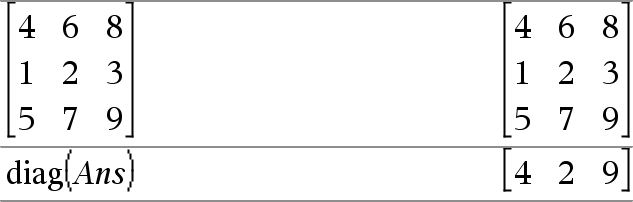
Returns a matrix with the values in the argument list or matrix in its main diagonal.

diag(squareMatrix) rowMatrix

Returns a row matrix containing the elements from the main diagonal of squareMatrix.

squareMatrix must be square.

dim()

dim(List) integer

Returns the dimension of List.

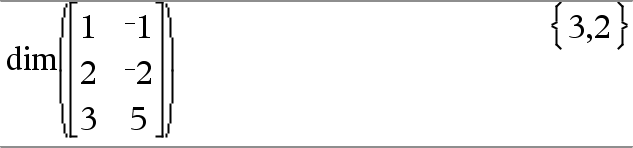
dim(Matrix) list

Returns the dimensions of matrix as a two-element list {rows, columns}.

dim(String) integer

Returns the number of characters contained in character string String.

Disp 

Disp exprOrString1 [, exprOrString2] ...

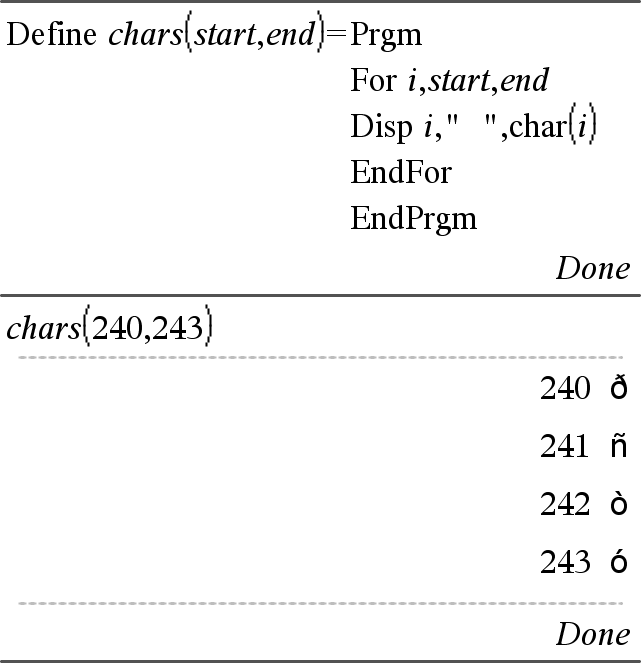
Displays the arguments in the Calculator history. The arguments are displayed in succession, with thin spaces as separators.

Useful mainly in programs and functions to ensure the display of intermediate calculations.

Note for entering the example: For instructions on entering multi-line program and function definitions, refer to the Calculator section of your product guidebook.

DMS

Value DMS

List DMS

Matrix DMS


Note: You can insert this operator from the computer keyboard by typing @>DMS.

Interprets the argument as an angle and displays the equivalent DMS (DDDDDD°MM'SS.ss'') number. See °, ', '' on here for DMS (degree, minutes, seconds) format.

Note: DMS will convert from radians to degrees when used in radian mode. If the input is followed by a degree symbol ° , no conversion will occur. You can use DMS only at the end of an entry line.

In Degree angle mode:


dotP()

dotP(List1, List2) expression

Returns the “dot” product of two lists.

dotP(Vector1, Vector2) expression

Returns the “dot” product of two vectors.

Both must be row vectors, or both must be column vectors.