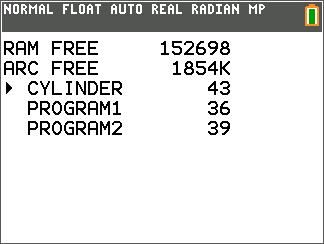
To check whether adequate memory is available for a program you want to enter:
| 1. | Press y L to display the MEMORY menu. |
| 2. | Select 2:Mem Management/Delete to display the MEMORY MANAGEMENT/DELETE menu. |
| 3. | Select 7:Prgm to display the PRGM editor. |
The TI CE family of graphing calculators expresses memory quantities in bytes.