You are here: TI-30X Pro MathPrint™ Scientific Calculator > Math Tools > Vectors

Vectors

In addition to those in the Vector MATH menu, the following vector operations are allowed. Dimensions must be correct:

vector + vector
vectorvector
Scalar multiplication (for example, 2 × vector)
matrix × vector (vector will be interpreted as a column vector)

% [vector] NAMES

% [vector] displays the vector NAMES menu, which shows the dimensions of the vectors and lets you use them in calculations.

The dimension of a vector can be 1{dim{3.

1:[u]

Definable vector [u]

2:[v]

Definable vector [v]

3:[w]

Definable vector [w]

4:[Ans]

Last matrix result ([Ans]=row×column), or

last vector result ([Ans] dim=n).

Not editable.

Note: Cell values can be toggled. To view the full precision or exact format, highlight the cell.

% [vector] MATH

% [vector] " displays the vector MATH menu, which lets you perform the following vector calculations:

1:DotProduct

Dot product of two vectors with the same dimension.

Syntax: DotP(vector1,vector2)

2:CrossProduct

Cross product of two vectors with the same dimension.

Syntax: CrossP(vector1,vector2)

3:norm magnitude

Norm (magnitude) of a vector.

Syntax: norm(vector)

% [vector] EDIT

% [vector] ! displays the vector EDIT menu, which lets you define or edit vector [u], [v], or [w].

Note: Press r to toggle the number format in a cell as needed.

Example

Define vector [u] = [ 0.5   8 ]. Define vector [v] = [ 2   3 ].

Calculate [u] + [v], DotP([u],[v]), and norm([v]).

Define [u]

% [vector] !
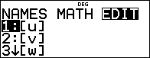
 

< " <
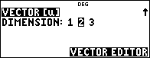
 

<

1 P 2 < 8 <
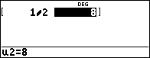
Define [v]

% [vector] ! $ <

" <
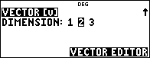
 

<

2 < 3 <
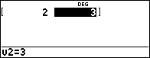
Add vectors

% s

% [vector] <

T

% [vector] $ <
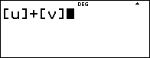
 

<
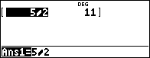
DotP

- -

% [vector] " <
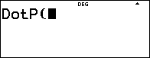
 

% [vector] <

% `

% [vector] $ <
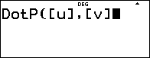
 

) <

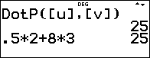
.5 V 2 T 8 V 3 <

Note: DotP is calculated here in two ways.
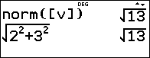
norm

-

% [vector] " $ $ <

% [vector] $ < )

<
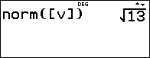
 

% b 2 F T 3 F "

<

Note: norm is calculated here in two ways.