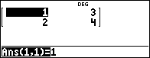
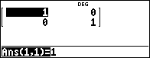
Define matrix [A] =

In addition to those in the Matrix MATH menu, the following matrix operations are allowed. Dimensions must be correct:
| • | matrix + matrix |
| • | matrix – matrix |
| • | matrix × matrix |
| • | Scalar multiplication (for example, 2 × matrix) |
| • | matrix × vector (vector will be interpreted as a column vector) |
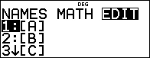
% t NAMES
% t displays the matrix NAMES menu, which shows the dimensions of the matrices and lets you use them in calculations. The row and column dimension of a matrix can be 1{row{3 and 1{column{3.
|
1:[A] |
Definable matrix [A]. |
|
2:[B] |
Definable matrix [B]. |
|
3:[C] |
Definable matrix [C]. |
|
4:[Ans] |
Last matrix result ([Ans]=row×column), or last vector result ([Ans] dim=n). Not editable. Note: Cell values can be toggled. To view the full precision or exact format, highlight the cell. |
|
5:[I2] |
2×2 identity matrix (not editable). |
|
6:[I3] |
3×3 identity matrix (not editable). |
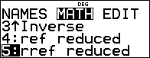
% t MATH
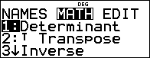
% t " displays the matrix MATH menu, which lets you perform the following operations:
|
1:Determinant |
Determinant of a square matrix. Syntax: det(squarematrix) |
|
2:T Transpose |
Transpose of a matrix. Syntax: matrixT |
|
3:Inverse |
Inverse of a square matrix. Syntax: squarematrix–1 |
|
4:ref reduced |
Row echelon form. Syntax: ref(matrix) |
|
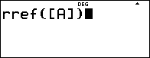
5:rref reduced |
Reduced row echelon form. Syntax: rref(matrix) |
% t EDIT
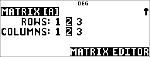
% t ! displays the matrix EDIT menu, which lets you define or edit matrix [A], [B], or [C].
Note: Press r to toggle the number format in a cell as needed.
|
Define matrix [A] = |
|
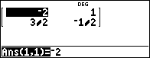
Calculate the determinant, transpose, inverse, and rref of [A].
|
Define [A] |
% t ! |
|
|
|
< |
|
|
Set dimensions |
" < " < < |
|
|
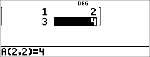
Enter values |
1 $ 2 $ 3 $ 4 $ |
|
|
det([A]) |
% s % t " |
|
|
|
< % t < ) < |
|
|
Transpose |
% t < % t " $ < |
|
|
|
< |
|
|
Inverse |
% s - % t < % t " $ $ < |
|
|
|
< |
|
|
rref |
- - % t " # |
|
|
|
< % t < ) |
|
|
|
< |
|