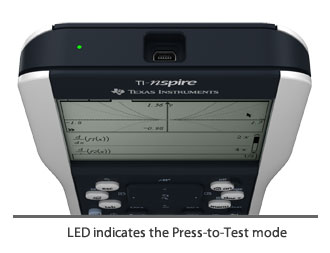
Press-to-Test – Prepare It
Configure handhelds for testing.
With this built-in feature on TI-Nspire™ and TI-Nspire CAS handhelds, you temporarily disable all current documents and deny access to programming libraries.
A blinking LED located at the top of the handheld provides proctors a way to quickly and confidently see that a student's handheld is operating in Press-to-Test mode.
After the exam, handhelds are easily restored for classroom use by exiting Press-to-Test mode, and all previously created documents restored.
See the Press-to-Test guide for directions on enabling and disabling this feature.
Download the latest TI-Nspire operating system that includes the Press-to-Test feature.