Using an Auxiliary Power Source
Normally, the TI‑Innovator™ Hub and its connected components draw power from the host calculator or computer, through the connector. Certain components, such as the optional Servo Motor, require more power than a calculator can provide reliably.
The connector on the Hub lets you connect an auxiliary power source. You can use the TI Wall Charger or the External Battery Pack.
|
TI Wall Charger (included with the Hub)
|
•
|
Plugs into a wall outlet. |
|
•
|
Does not use batteries. |
|
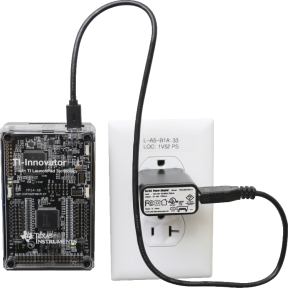
|
|
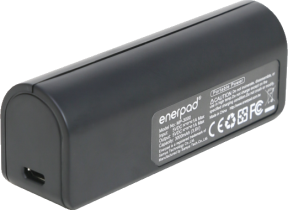
External Battery Pack (sold separately)
|
•
|
Has On/Off button with a row of LEDs that momentarily indicate the battery charge when you turn the battery on. |
|
•
|
Turns itself off after being disconnected from the Hub for about 3 minutes. |
Note: To recharge the External Battery Pack, disconnect it from the Hub and then connect it to the TI Wall Charger using the USB Standard A to Micro cable. Do not use the External Battery Pack as an auxiliary power source while it is being charged.
|
|
Connecting the Power Source
|
1.
|
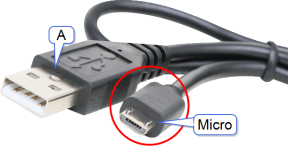
Identify the Micro connector on the USB Standard A to Micro auxiliary power cable. |
|
2.
|
Insert the Micro connector into the connector at the top of the Hub. |
|
|
|
3.
|
Insert the free end of the cable (the "" connector) into the USB port on the power source. |
|
4.
|
Turn on the power source: |
|
-
|
If using the TI Wall Charger, plug it into a wall socket. |
|
-
|
If using the External Battery Pack, press the power button. |
An auxiliary power LED on the Hub glows to show that the Hub is receiving auxiliary power.
|
5.
|
Connect the TI‑Innovator™ Hub to the host calculator, using the USB Standard A to Mini‑B cable. |
|
6.
|
Connect the I/O Module or breadboard component to the Hub. |
