TI-SmartView™ Emulator Large Display Screen
On the Large Display Screen panel, click and drag the edge of a panel to change the size.
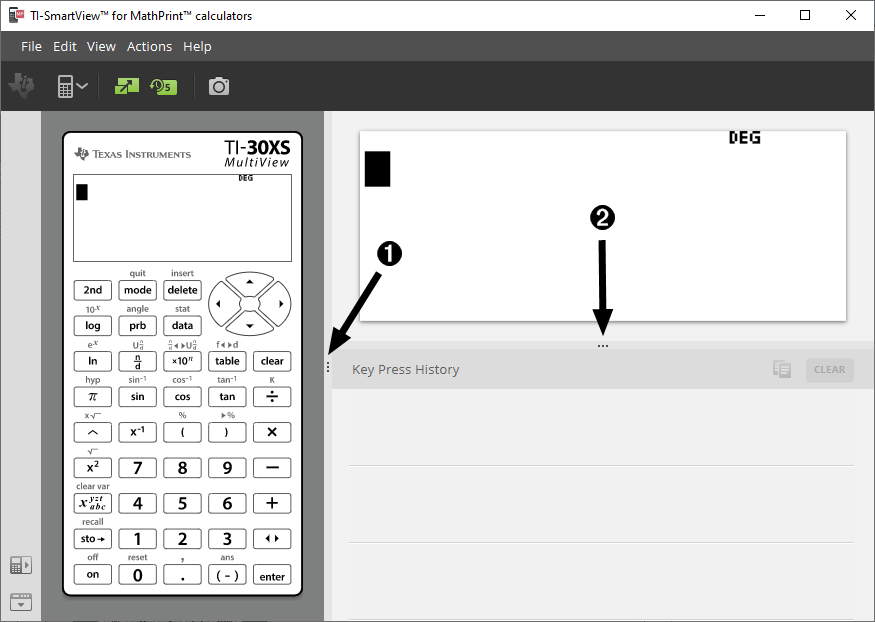
Note: All of these are left/right actions except the Key Press History which is pull up or down to size.