Topic Links
Variables and Defined Items
You can enter and use several types of data, including real and complex numbers, matrices, lists, functions, stat plots, graph databases, graph pictures, and strings.
The TI-84 Plus CE uses assigned names for variables and other items saved in memory. For lists, you also can create your own five-character names.
|
Variable Type |
Names |
|
Real numbers (including fractions) |
A, B, ... , Z, q |
|
Complex numbers |
A, B, ... , Z, q |
|
Matrices |
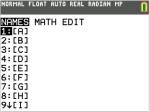
ãAä, ãBä, ãCä, ... , ãJä To enter a matrix name: Press y ¾. The Matrix Names menu appears. Press the number on the keypad that corresponds with the desired Matrix Name.
|
|
Lists* |
L1, L2, L3, L4, L5, L6, and user-defined names |
|
Functions |
Y1, Y2, ... , Y9, Y0 |
|
Parametric equations |
X1T and Y1T, ... , X6T and Y6T |
|
Polar functions |
r1, r2, r3, r4, r5, r6 |
|
Sequence functions |
u, v, w |
|
Stat plots |
Plot1, Plot2, Plot3 |
|
Graphical databases |
GDB1, GDB2, ... , GDB9, GDB0 Save current equations from Y= and Window settings to re-use. |
|
Background images |
Image1, Image2, ... , Image9, Image0 |
|
Pictures |
Pic1, Pic2, ... , Pic9, Pic0 |
|
Strings |
Str1, Str2, ... , Str9, Str0 |
|
Apps |
Applications |
|
AppVars |
Application variables |
|
Groups |
Grouped variables Save a group of allowed calculator files for sharing or to re-use when setting up a classroom. |
|
System variables |
Xmin, Xmax, and others |
* Once a list contains a complex number, it is designated as a complex list. To change a list to Real numbers, delete the list and enter the Real values.
Notes about Variables
| • | You can create as many list names as memory will allow. |
| • | From the home screen or from a program, you can store to matrices, lists, strings, and system variables such as Xmax, TblStart, and all Y= functions. |
| • | From an editor, you can store to matrices, lists, and Y= functions. |
| • | From the home screen, a program, or an editor, you can store a value to a matrix element or a list element. |
| • | You can use DRAW STO menu items to store and recall Pic Vars. |
| • | Although most variables can be archived, system variables including r, T, X, Y, and q cannot be archived. |
Note: In TI-Basic programming, it is best practice to avoid using these system variables to avoid unexpected changes in the variable value due to calculations and graphing when executing a program.
| • | Apps are independent applications, which are stored in Flash archive. AppVars is a variable holder used to store variables created by independent applications. You cannot edit or change variables in AppVars unless you do so through the application that created them. |