Calculating Amortization
Calculating an Amortization Schedule
Use the amortization functions (menu items 9, 0, and A) to calculate balance, sum of principal, and sum of interest for an amortization schedule.
bal(
bal( computes the balance for an amortization schedule using stored values for æ, PV, and PMT. npmt is the number of the payment at which you want to calculate a balance. It must be a positive integer < 10,000. roundvalue specifies the internal precision the calculator uses to calculate the balance; if you do not specify roundvalue, then the graphing calculator uses the current Float/Fix decimal-mode setting.
bal(npmt[,roundvalue])
|
|
|
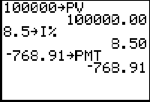
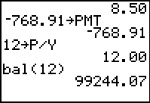
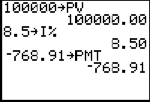
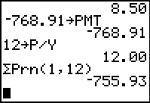
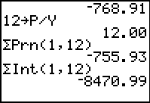
GPrn(, GInt(
GPrn( computes the sum of the principal during a specified period for an amortization schedule using stored values for ¾æ, PV, and PMT. pmt1 is the starting payment. pmt2 is the ending payment in the range. pmt1 and pmt2 must be positive integers < 10,000. roundvalue specifies the internal precision the calculator uses to calculate the principal; if you do not specify roundvalue, the graphing calculator uses the current Float/Fix decimal-mode setting.
Note: You must enter values for æ, PV, and PMT before computing the principal.
GPrn(pmt1,pmt2[,roundvalue])
GInt( computes the sum of the interest during a specified period for an amortization schedule using stored values for ¾æ, PV, and PMT. pmt1 is the starting payment. pmt2 is the ending payment in the range. pmt1 and pmt2 must be positive integers < 10,000. roundvalue specifies the internal precision the calculator uses to calculate the interest; if you do not specify roundvalue, the TI‑84 Plus C uses the current Float/Fix decimal-mode setting.
GInt(pmt1,pmt2[,roundvalue])
|
|
|
|
Amortization Example: Calculating an Outstanding Loan Balance
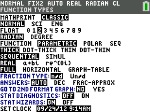
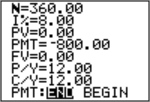
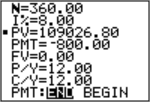
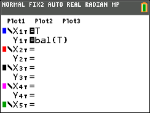
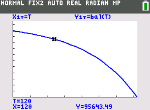
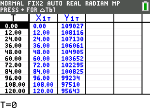
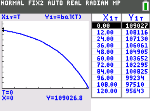
You want to buy a home with a 30-year mortgage at 8 percent APR. Monthly payments are 800. Calculate the outstanding loan balance after each payment and display the results in a graph and in the table.
|
|
|||
|
|
|||
|
|
|||
|
|
|||
|
|
|||
Tmin=0 Xmin=0 Ymin=0
|
|
|||
|
|
|||
TblStart=0 |
|
|||
|
|
|||
Press r to display X1T (time) and Y1T (balance) in the table. |
|