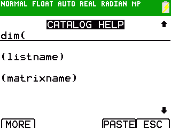
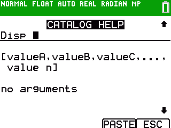
Using Catalog Help
Displaying Catalog Help
You can display Catalog Help arguments for functions in two ways:
|
•
|
Using an alpha/numeric function listing in the catalog (e.g, y N). |
|
•
|
Using the functions listed in certain menus (e.g, »). |
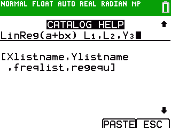
Catalog Help lists the valid arguments for the function under the edit line. Arguments in brackets are optional.
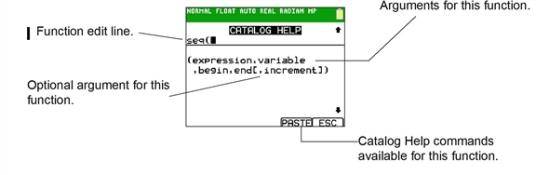
|
1.
|
Display the menu that contains the function. |
|
2.
|
Use } and/or † to move the cursor to the function. |
|
3.
|
Press à to display arguments for the function. The cursor is on the function edit line. |
Note:
|
•
|
The catalog (y N) is displayed in alphabetical order. When you display the catalog, the alpha-lock is turned on. Press the first letter of the function name to skip function names that come before it alphabetically. Use } and/or † to move the cursor to the function. |
|
•
|
Not all catalog functions have associated arguments. If the function does not require an argument, Catalog Help displays the message “No arguments required for this item.” |
Catalog Help Commands
|
•
|
Select MORE (if available) to display more arguments for the function. |
|
•
|
Use shortcut menus ƒ ^ through a through for argument values if available. |
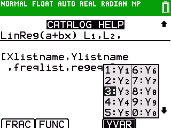
|
•
|
Enter your argument values on the function edit line, and then select to paste the function and the argument values you entered. |
Note: You can paste to most cursor locations.
|
•
|
Select to exit the Catalog Help screen. |