You can transfer the operating system from one calculator to another using a USB unit-to-unit cable.
Connect two calculators of the same model by firmly inserting the USB cable ends into the calculators. The USB port is located on the top right side of the calculator.
Warning: Use the correct graphing calculator file specific for your model if using
TI Connect™ CE. Only connect to the same model of calculator when sending an OS from one graphing calculator to another graphing calculator.
|
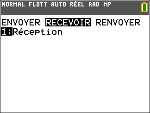
Receiving calculator: y 8 ~ Í |
|
|
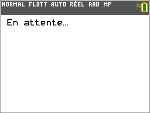
When you press Í, the graphing calculator displays the message En attente... |
|
|
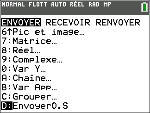
Sending calculator: y 8 } } Í. |
|