Reading the Display
The display shows the selected variable labels with values up to 10 digits. (The calculator displays values exceeding 10 digits in scientific notation.)
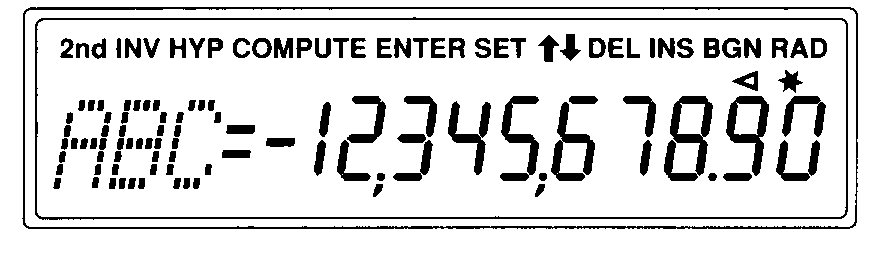
The indicators along the top of the display tell you which keys are active and offer information about the status of the calculator.
|
Indicator |
Meaning |
|
Press a key to select its second function. (& To cancel, press & again. |
|
|
Press a key to select its inverse trigonometric function. |
|
|
Press a key to select its hyperbolic function. |
|
|
Press C to compute a value for the displayed variable. |
|
|
Press ! to assign the displayed value to the displayed variable. |
|
|
Press & Vto change the setting of the displayed variable. |
|
|
Press # or " to display the previous or next variable in the worksheet. Note: To easily scroll up or down through a range of variables, press and hold # or ". |
|
|
Press & W to delete a cash flow or statistical data point. |
|
|
Press & X to insert a cash flow or statistical data point. |
|
|
TVM calculations use beginning-of-period payments. When BGN is not displayed, TVM calculations use end-of-period payments (END). |
|
|
Angle values appear in radians. When RAD is not displayed, angle values appear and must be entered in degrees. |
|
|
The displayed value is entered in the selected worksheet. The indicator clears following a computation. |
|
|
The displayed value is computed in the selected worksheet. When a value changes and invalidates a computed value, the indicator clears. |
|
|
The displayed variable is assigned the displayed value. |
|
|
The displayed value is negative. |