|
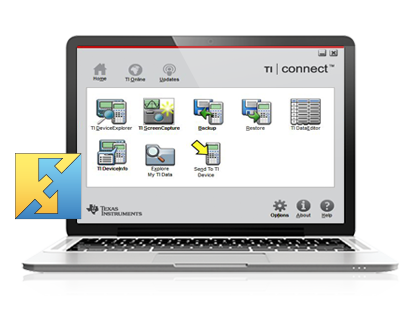
| TI Connect software is the new-generation link software, which takes TI calculator technology to a new level of calculator, computer and Internet connectivity. Downloading and transferring data, Operating System (OS) updates, Calculator Software Applications (Apps), and programs are easier than ever before. No more worrying about downloading the TI-GRAPH LINK™ software for each type of TI calculator. TI Connect software is a universal application that is compatible with many calculators.
|
Learn more about TI Connectivity Kit
|
|
| TI Connect software is available for both Windows® and Mac® systems.
|
|
Features for Windows® & Mac®
|
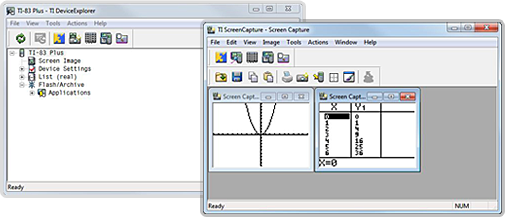
| | Capture multiple screen images and use them in tests, presentations and quizzes |
| | Drag and drop all data types in one consistent manner |
| | Download calculator Software Applications to use your TI calculator in more classes |
| | Back up the data from your TI calculator to your computer |
| | Download games to your TI calculator |
|
Features for Mac® Only
|
| | Program editing capabilities |
|
| The following are supported by TI Connect for Windows®:
|
| | TI-73 Explorer™ |
| | TI-83 |
| | TI-83 Plus family |
| | TI-84 Plus family |
| | TI-86 |
| | TI-89 / TI-89 Titanium |
| | TI-92 |
| | TI-92 Plus |
| | Voyage™ 200 |
| | CBL 2™ |
|
| The following are supported by TI Connect for Mac®:
|
| | TI-73 Explorer™ |
| | TI-82 |
| | TI-83 |
| | TI-83 Plus family |
| | TI-84 Plus family |
| | TI-85 |
| | TI-86 |
| | TI-89 / TI-89 Titanium |
| | TI-92 |
| | TI-92 Plus |
| | Voyage™ 200 |
| | CBL 2™ |
| | CBR™ |
| | Vernier LabPro® |
|
| Texas Instruments is making an effort to characterize the behavior of its Windows TI Connect for Portuguese desktop software under the recently released Windows® XP Service Pack 2.
|