
Get the latest TI-Nspire™ and
TI-Nspire™ CAS Teacher Software
Download 90-day trial versions of TI-Nspire and TI-Nspire CAS Teacher Software, or update your software. Keeping your software up to date ensures that you benefit from the latest TI-Nspire features and enhanced functionality. The latest release of the operating system and software lets you:
TI-Nspire™ CAS Teacher Software
- Access templates for standard forms of conic equations.
- Easily write chemical notation.
- Create a question where the answer is a number or an expression.
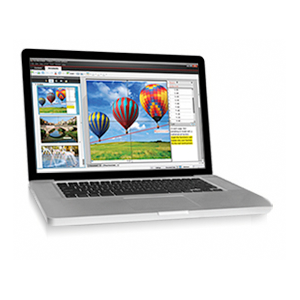
- Generate questions where students need to label or select the correct answer from an image**.
- Create dynamic reports with the PublishView™ feature.
Because TI-Nspire Teacher Software has a built-in emulator, you can use an interactive whiteboard or digital projector to project a full interactive handheld alongside a large handheld screen. This makes it easier to demonstrate tough-to-learn concepts to your students.
Follow these steps:



Windows XP, Windows Vista, and Windows 7
For Windows XP
(i.e., TI-Nspire Student Software) and click Remove.
For Windows Vista
For Windows 7
Mac
Uninstalling The Application
1. Download
Download and save the software to a location that you can find easily.
2. Install
Install the software by double clicking the icon.
NOTE: If the installer displays "An old version of the software is installed, uninstall it manually," please follow the instructions below to uninstall.
NOTE: If the installer displays "An old version of the software is installed, uninstall it manually," please follow the instructions below to uninstall.
Windows XP, Windows Vista, and Windows 7For Windows XP
Step 1:
Click Start > Control Panel > Programs > Add or Remove Programs.Step 2:
In the currently installed programs box, click your TI-Nspire Computer Software title (i.e., TI-Nspire Student Software) and click Remove.
Step 3:
Follow prompts to complete the uninstallation.For Windows Vista
Step 1:
Click Start > Control Panel > Programs > Programs and Features.Step 2:
Click your TI-Nspire Computer Software title (i.e., TI-Nspire Student Software) and click Uninstall.Step 3:
Follow prompts to complete the uninstallation.For Windows 7
Step 1:
Click Start > Control Panel > Programs and Features.Step 2:
Click your TI-Nspire Computer Software title (i.e., TI-Nspire Student Software) and click Uninstall/Change at the topStep 3:
Follow prompts to complete the uninstallation.
Mac Uninstalling The Application
Step 1:
Open the hard driveStep 2:
Click the "Applications" folderStep 3:
Locate the icon for the TI-Nspire Computer software that you would like to uninstall, and simply drag it into the trash can.
* This Web page is intended for authors and educators who currently have TI-Nspire Computer Software - Teacher Edition or wish to download 90-day trial software. We respectfully request that you keep this Web page address private.
** TI-Nspire supports the following image types: jpg, jpeg, bmp, and png.