Site: US and Canada

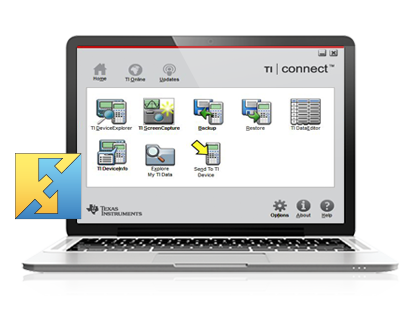
TI Connect™ Software

Choose your Cables

TI-73 Explorer

Macintosh® Platform
TI CONNECT for Mac
Standard-A to Mini-B USB Silver USB (Gray) Serial
TI-GRAPH LINK 2
Silver USB (Gray) Serial

Macintosh® OS 9 and OS 1.1 require different TI-Connect cables.
Macintosh® OS 9 does NOT support direct USB connections.

Windows® Platform
TI CONNECT
Standard-A to Mini-B USB Silver USB (Gray) Serial (Black) Serial
TI-GRAPH LINK
Silver USB (Gray) Serial (Black) Serial

TI-82

Macintosh® Platform
TI CONNECT for Mac
Standard-A to Mini-B USB Silver USB (Gray) Serial
TI-GRAPH LINK 2
Silver USB (Gray) Serial

Macintosh® OS 9 and OS 1.1 require different TI-Connect cables.
Macintosh® OS 9 does NOT support direct USB connections.

Windows® Platform
TI CONNECT
Standard-A to Mini-B USB Silver USB (Gray) Serial (Black) Serial
TI-GRAPH LINK
Silver USB (Gray) Serial (Black) Serial

If you have a Windows® computer, the TI Connectivity Cable USB and TI Connect software will not work with your TI-82. Please use a TI Connectivity Cable Serial and TI-GRAPH LINK software for computer connectivity.

TI-83

Macintosh® Platform
TI CONNECT for Mac
Standard-A to Mini-B USB Silver USB (Gray) Serial
TI-GRAPH LINK 1
Silver USB (Gray) Serial
TI-GRAPH LINK 2
Silver USB (Gray) Serial

Macintosh® OS 9 and OS 1.1 require different TI-Connect cables.
Macintosh® OS 9 does NOT support direct USB connections.

Windows® Platform
TI CONNECT
Standard-A to Mini-B USB Silver USB (Gray) Serial (Black) Serial
TI-GRAPH LINK
Silver USB (Gray) Serial (Black) Serial

TI-83 Plus family

Macintosh® Platform
TI CONNECT for Mac
Standard-A to Mini-B USB Silver USB (Gray) Serial
TI-GRAPH LINK 2
Silver USB (Gray) Serial

Macintosh® OS 9 and OS 1.1 require different TI-Connect cables.
Macintosh® OS 9 does NOT support direct USB connections.

Windows® Platform
TI CONNECT
Standard-A to Mini-B USB Silver USB (Gray) Serial (Black) Serial
TI-GRAPH LINK
Silver USB (Gray) Serial (Black) Serial

TI-84 Plus family

Macintosh® Platform
TI CONNECT for Mac
Standard-A to Mini-B USB Silver USB (Gray) Serial
TI-GRAPH LINK 2
Silver USB (Gray) Serial

Macintosh® OS 9 and OS 1.1 require different TI-Connect cables.
Macintosh® OS 9 does NOT support direct USB connections.

Windows® Platform
TI CONNECT
Standard-A to Mini-B USB Silver USB (Gray) Serial (Black) Serial
TI-GRAPH LINK
Silver USB (Gray) Serial (Black) Serial

TI-85

Macintosh® Platform
TI CONNECT for Mac
Standard-A to Mini-B USB Silver USB (Gray) Serial
TI-GRAPH LINK 2
Silver USB (Gray) Serial

Macintosh® OS 9 and OS 1.1 require different TI-Connect cables.
Macintosh® OS 9 does NOT support direct USB connections.

Windows® Platform
TI CONNECT
Standard-A to Mini-B USB Silver USB (Gray) Serial (Black) Serial
TI-GRAPH LINK
Silver USB (Gray) Serial (Black) Serial

If you have a Windows® computer, the TI Connectivity Cable USB and TI Connect software will not work with your TI-85. Please use a TI Connectivity Cable Serial and TI-GRAPH LINK software for computer connectivity.

TI-86

Macintosh® Platform
TI CONNECT for Mac
Standard-A to Mini-B USB Silver USB (Gray) Serial
TI-GRAPH LINK 2
Silver USB (Gray) Serial

Macintosh® OS 9 and OS 1.1 require different TI-Connect cables.
Macintosh® OS 9 does NOT support direct USB connections.

Windows® Platform
TI CONNECT
Standard-A to Mini-B USB Silver USB (Gray) Serial (Black) Serial
TI-GRAPH LINK
Silver USB (Gray) Serial (Black) Serial

TI-89


Macintosh® Platform
TI CONNECT for Mac
Standard-A to Mini-B USB Silver USB (Gray) Serial
TI-GRAPH LINK 2
Silver USB (Gray) Serial

Macintosh® OS 9 and OS 1.1 require different TI-Connect cables.
Macintosh® OS 9 does NOT support direct USB connections.

Windows® Platform
TI CONNECT
Standard-A to Mini-B USB Silver USB (Gray) Serial (Black) Serial
TI-GRAPH LINK
Silver USB (Gray) Serial (Black) Serial

TI-89 Titanium

Macintosh® Platform
TI CONNECT for Mac
Standard-A to Mini-B USB Silver USB (Gray) Serial
TI-GRAPH LINK 2
Silver USB (Gray) Serial

Macintosh® OS 9 and OS 1.1 require different TI-Connect cables.
Macintosh® OS 9 does NOT support direct USB connections.

Windows® Platform
TI CONNECT
Standard-A to Mini-B USB Silver USB (Gray) Serial (Black) Serial
TI-GRAPH LINK
Silver USB (Gray) Serial (Black) Serial

TI-92

Macintosh® Platform
TI CONNECT for Mac
Standard-A to Mini-B USB Silver USB (Gray) Serial
TI-GRAPH LINK 1
Silver USB (Gray) Serial
TI-GRAPH LINK 2
Silver USB (Gray) Serial

Macintosh® OS 9 and OS 1.1 require different TI-Connect cables.
Macintosh® OS 9 does NOT support direct USB connections.

Windows® Platform
TI CONNECT
Standard-A to Mini-B USB Silver USB (Gray) Serial (Black) Serial
TI-GRAPH LINK
Silver USB (Gray) Serial (Black) Serial

TI-92 Plus

Macintosh® Platform
TI CONNECT for Mac
Standard-A to Mini-B USB Silver USB (Gray) Serial
TI-GRAPH LINK 2
Silver USB (Gray) Serial

Macintosh® OS 9 and OS 1.1 require different TI-Connect cables.
Macintosh® OS 9 does NOT support direct USB connections.

Windows® Platform
TI CONNECT
Standard-A to Mini-B USB Silver USB (Gray) Serial (Black) Serial
TI-GRAPH LINK
Silver USB (Gray) Serial (Black) Serial

Voyage 200

Macintosh® Platform
TI CONNECT for Mac
Standard-A to Mini-B USB Silver USB (Gray) Serial
TI-GRAPH LINK 2
Silver USB (Gray) Serial

Macintosh® OS 9 and OS 1.1 require different TI-Connect cables.
Macintosh® OS 9 does NOT support direct USB connections.

Windows® Platform
TI CONNECT
Standard-A to Mini-B USB Silver USB (Gray) Serial (Black) Serial
TI-GRAPH LINK
Silver USB (Gray) Serial (Black) Serial


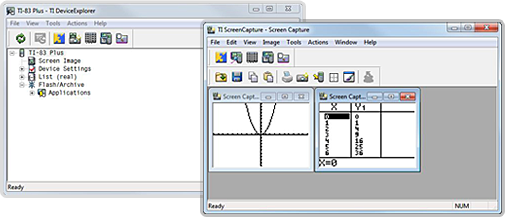
TI Connectivity cables work with TI Connect software or TI-GRAPH LINK software to enable connections between TI calculators and a computer.

TI-GRAPH LINK software for Windows® also allows you to connect your TI calculator to a computer, but we recommend that it is only used when you have a TI-82 or TI-85 or if you would like to do program editing for your TI calculator.


Version: 1.20130516.105409 rev. 47177 (Production)